Running a call campaign
Turn a list into conversations — a script, a briefing on each person, and a couple of clicks to log how it went.
Quick answers
7 questions · click to openWhat does a volunteer actually see?
One screen per person: their name and phone number, whether they’re a member, what they’ve done before, notes from previous calls, and your script. There’s nothing to look up and nothing to switch between.
What’s the AI briefing?
A short summary of who the volunteer is about to speak to, prepared before each call — whether they’re a member, donor or volunteer, and any recent activity worth knowing. It saves a volunteer reading a record they don’t know how to read.
How do volunteers record what happened?
In a couple of clicks. Each call is logged as completed, skipped or a callback, and they can record how the person sounded — keen, maybe, or not keen. Notes carry forward to whoever calls them next.
What if someone asks to be rung back later?
Mark it as a callback. That keeps the person in the campaign rather than closing them off, so they come back around instead of being marked done.
Can a local group run its own calls?
Yes. A campaign targets a political division, so a local group can work its own people without seeing anyone else’s.
Why is my recipient estimate lower than my total number of people?
Because a call campaign only includes people with a phone number on file — mobile, home or work. The People page counts everyone, including people you only hold an email address for. The difference is people you have no way to ring.
Do we need a list first?
It helps. You can carry filters straight over from People, or point the campaign at a saved list — which is the tidier option if you’ll run the same campaign again.
Email is cheap and it doesn’t persuade many people. A phone call from a volunteer does. Call campaigns are for the moments that are worth a conversation: a membership renewal drive, thanking major donors, getting people to an event, or just finding out what your supporters actually think.
What a call campaign is
A campaign is a list of people, a script, and a screen your volunteers work through. Each person in the campaign is an assignment that moves from pending to completed, skipped, or a callback.
Campaigns are draft while you build them, active while they’re being worked, and completed when you’re done.
-
Create the campaign and choose who’s in it
Under Call Campaigns, create a campaign and configure the recipients. You can carry filters over from People or use a saved list. Cobber shows the estimated number of recipients as you narrow it down — that figure counts only people with a phone number on file, so it is normally lower than the total on the People page.
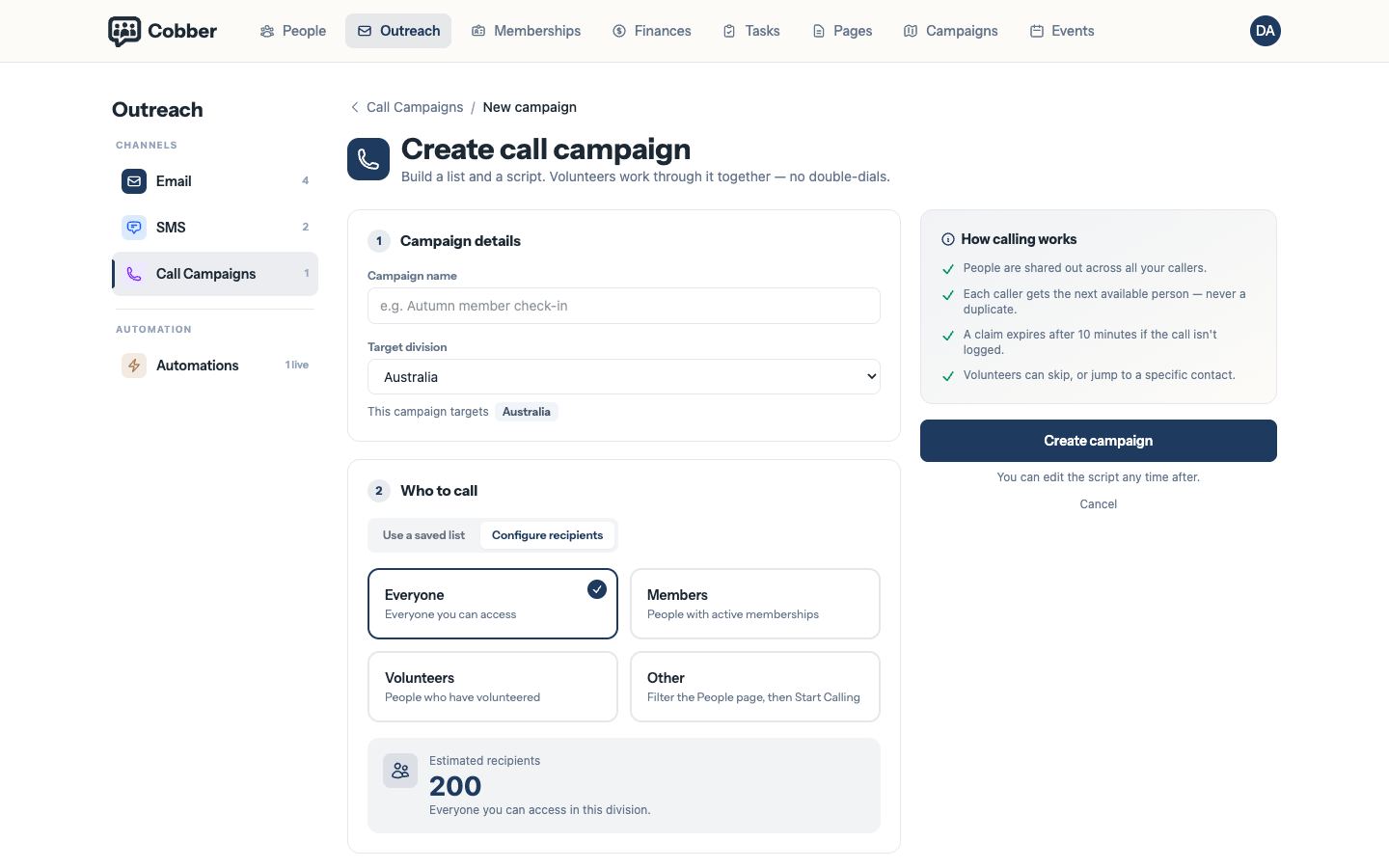
Setting up a call campaign and choosing who is in it. -
Write the script
The script is what volunteers read on screen while they talk. Write it the way someone would actually say it out loud — short sentences, one ask, and an obvious place to stop and listen.
-
Hand it to your volunteers
They work through the campaign one person at a time. The screen shows who they’re speaking to, the script, notes from previous calls, and a briefing summarising the person — so nobody has to interpret a database record mid-call.
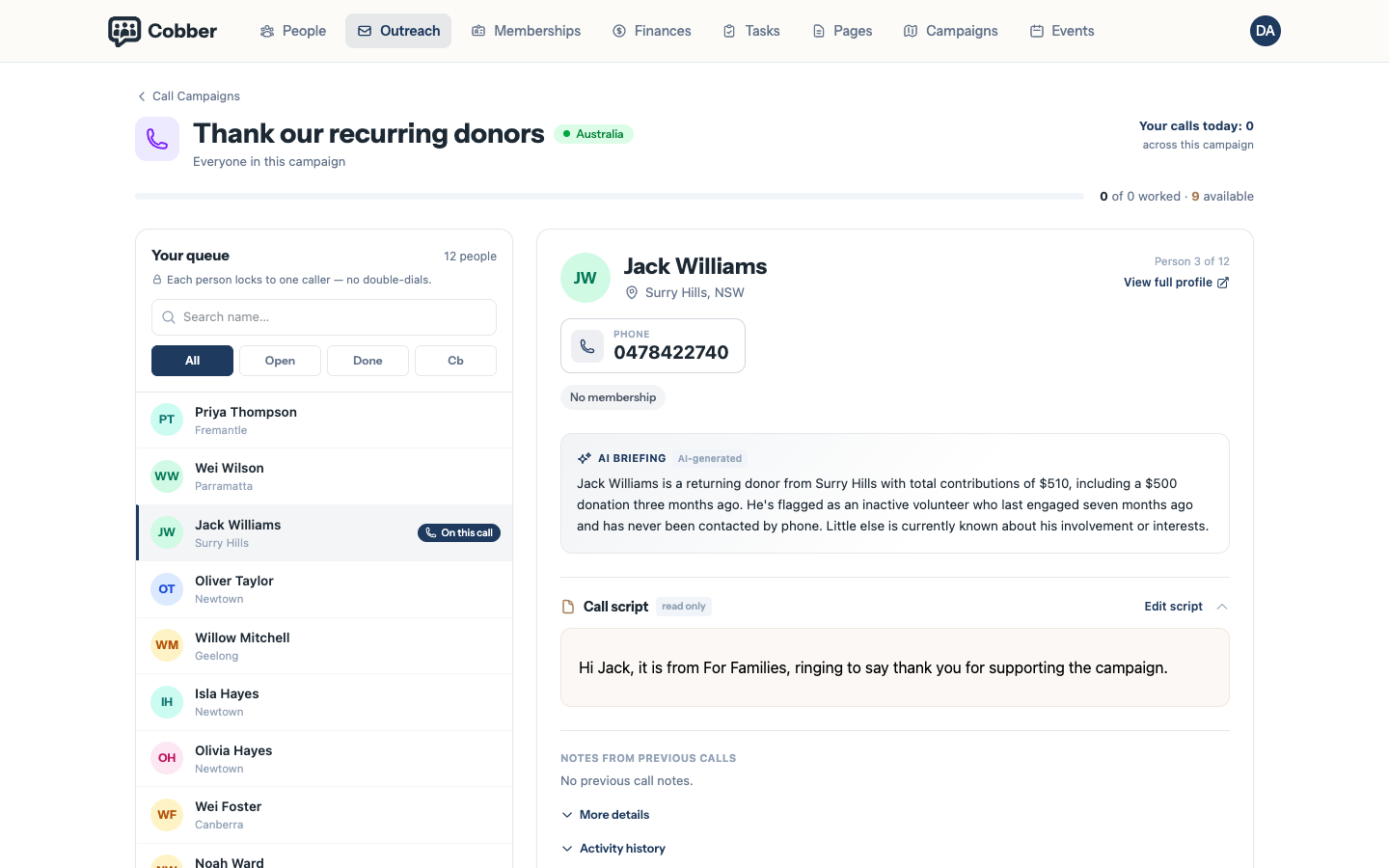
The calling screen, with the script, the briefing and the log. -
Log the call
Completed, skipped, or callback — plus how the person sounded. Notes are kept against the person, so whoever speaks to them next starts from what already happened.
Why the logging matters more than it looks
The sentiment on each call — keen, maybe, not keen — is the most useful thing your volunteers produce, and it takes them one click. After a few hundred calls you know which parts of your list are warm, which need work, and who to invite to the next thing. That’s information you can’t get from an open rate.
Callbacks are worth using properly. Marking someone as a callback keeps them in the campaign rather than closing them off, so “ring me after six” doesn’t quietly become “never rung again”.
Running it well
- Short shifts beat long ones. An hour of calling is plenty for a volunteer who’s nervous about it.
- Ring the warm people first. Starting with supporters who have done something recently gives volunteers a run of good calls before they hit the hard ones.
- Brief your volunteers on the ask, not just the script. They’ll go off-script, and that’s usually fine as long as they know what they’re there for.
- Do something with the sentiment. If a third of your list came back “not keen”, that’s a message about the campaign, not about the callers.
| Symptom | Cause and fix |
|---|---|
| The estimate is lower than the number on the People page | A call campaign only includes people with a phone number on file — a mobile, home or work number. The People page counts everyone, including people you only hold an email address for. The gap between the two is people you have no way to ring; fix those under Data Quality and they’ll be picked up next time. |
| A local organiser sees fewer people than expected | Campaigns target a political division, and roles are scoped the same way. A local campaign only reaches that local group’s people — that’s working as intended. |
| The same person keeps coming back around | They’ve been marked as a callback rather than completed. That’s deliberate — a callback stays workable until someone finishes the conversation. |