Searching, filtering and saved lists
Build a list once and use it for email, SMS, calls and exports.
Quick answers
8 questions · click to openWhat is a list?
A saved set of filters, kept under Lists. It records who created it and when, so months later it’s obvious whose list it’s and what it was for.
Is a list a snapshot or does it stay current?
It saves the filters, not a frozen set of people — so it stays current as your data changes. A list of lapsed members is accurate the day you use it, not the day you built it.
Where do I build the filters?
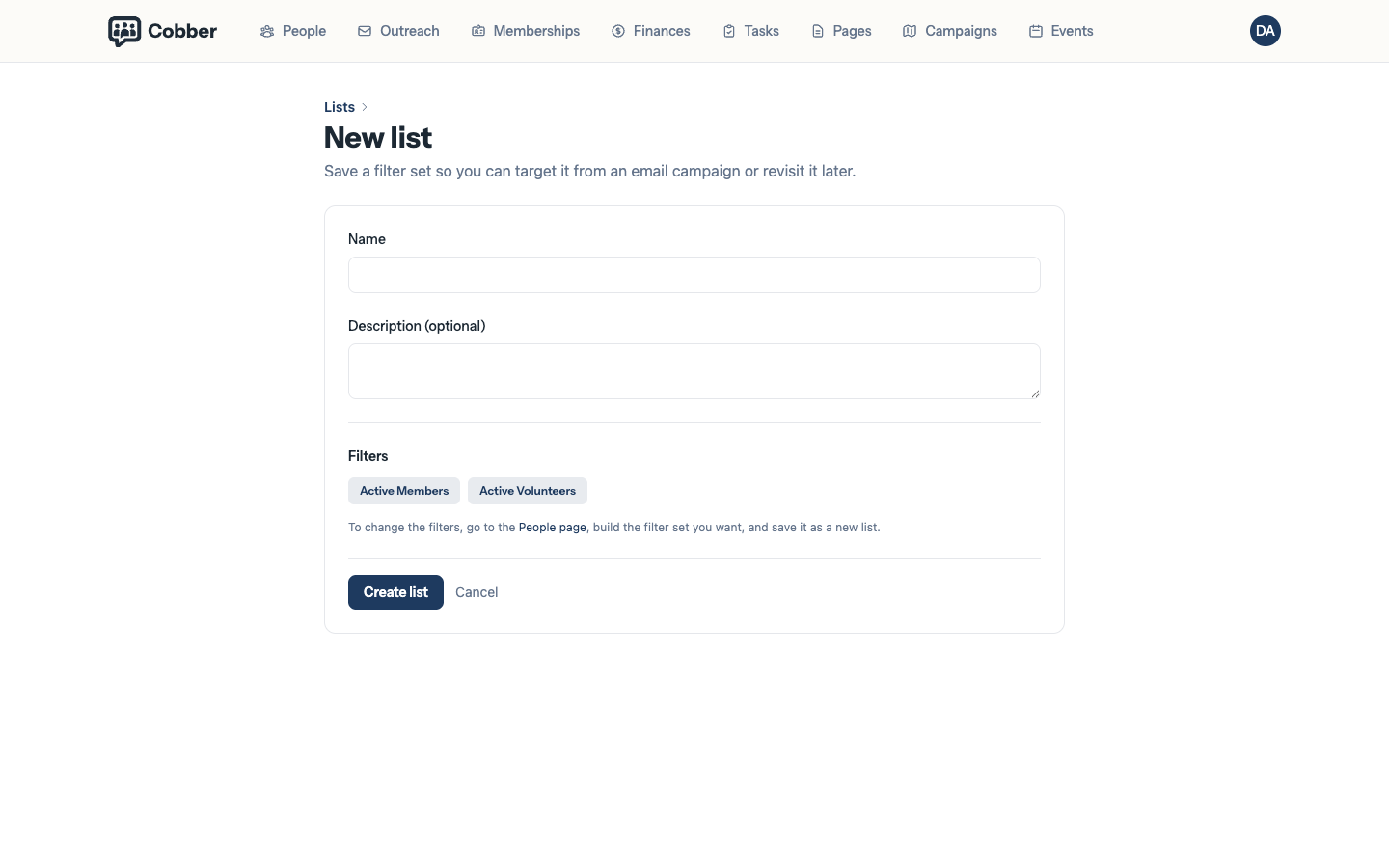
On the People screen. Filter until you have the group you want, then save it as a list.
What can I use a list for?
Email campaigns, SMS campaigns, call campaigns and exports. Building it once and reusing it’s the point.
What does emailable mean?
The count with unsubscribed and bounced people excluded — in other words, who would actually receive an email. It’s usually lower than the total, and that’s normal.
What can I filter on?
Location, membership, tags, donations, volunteer status, email and event engagement, and any person custom fields you have defined (under More filters → Custom fields).
Will my colleague see the same people in my list?
The same filters, but not necessarily the same people. Lists are scoped by division like everything else, so someone with a narrower role sees fewer.
How many people show per page?
25 by default. Use the Show control next to the pagination at the bottom of the table to switch to 50 or 100.
Filtering is the thing you’ll do most in Cobber, and a list is just a filter you decided to keep.
Filtering people
Start on People and narrow down. You can filter on the obvious things — state, suburb, postcode, membership status, tags — and on behaviour, like whether someone has donated or volunteered. Person custom fields you define under Custom Fields also appear under More filters → Custom fields — useful for tier, sector, role and anything else you store on contacts.
More filters → Email engagement covers how people responded to a campaign: Opened, Clicked, Replied, and the negative of each — Did not open, Did not click, Did not reply. You can point any of them at one campaign or at every campaign, and limit it to the last so many days.
The negatives mean “was sent one and didn’t”, not “never heard from”. Someone who was never emailed at all doesn’t appear, which is what you want when you are chasing people who ignored something rather than people you never asked.
The count updates as you go, which is the useful part: it tells you whether an audience is worth sending to before you write anything.
Saving it as a list
Once the filters give you the group you want, save it. A list keeps:
- the filters themselves, so the list stays current as people join and leave
- who created it and when
- the campaigns that have used it
Lists show two numbers: Members, everyone matching the filters, and Emailable, which excludes people who have unsubscribed or hard-bounced. The second is the one to look at before an email campaign — a gap between them is normal.
Using a list
The same list works for an email campaign, an SMS campaign, a call campaign or an export. That’s the reason to save it rather than rebuilding the filters each time: your “lapsed members in Brisbane” is the same group whichever way you decide to reach them.
Name lists so they still make sense in six months. “Lapsed members — Brisbane — 2026 renewal push” beats “Brisbane list”, especially once there are thirty of them.
What your colleagues see
Lists are scoped by division, like everything else. Two people opening the same list can see different numbers of people, because each sees only those their role covers. That’s working as intended — see targeting a list or division.