Merging duplicates
Find the same person twice, decide which record survives, and keep everything they’ve ever done.
Quick answers
7 questions · click to openWhere do I find likely duplicates?
Under Data Quality there’s a duplicates view. Cobber looks for them itself rather than making you hunt — matching on name and date of birth, name and suburb, phone numbers, and close variations of names against phones and emails.
Does merging lose anything?
No. Everything on the duplicate moves to the record you keep — payments, recurring donations, memberships, event RSVPs, tasks, activity, campaign and SMS history, survey answers, automations, volunteer shifts and email addresses. The duplicate is soft-deleted rather than destroyed.
Both records RSVP’d to the same event. What happens?
The kept record’s RSVP stands and the duplicate’s is removed, so the person holds one seat. If the duplicate was the one checked in at the door, that check-in carries across.
Can I undo a merge?
Not from the interface. The old record still exists behind the scenes, but unpicking a merge is a support job — so check the two records are genuinely the same person before you confirm.
What do strong, likely and possible mean?
How confident Cobber is. Strong matches are worth merging almost on sight; possible ones need a look at both records first. You can filter to one confidence level and work through it.
Two people at the same address really are different people.
That happens constantly with couples and families. Dismiss the group and it won’t come back.
Why do duplicates keep appearing after every import?
Almost always because the file had no email address or mobile number to match on. Fix the source file rather than merging the same people every month.
Duplicates are inevitable. Someone signs a petition with a personal address then donates with a work one; a spreadsheet arrives from a local group with no email column. The job is catching them before they become two half-histories of the same person.
Finding them
Cobber looks for duplicates itself, under Data Quality. It compares people several ways rather than relying on one:
| Comparison | Catches |
|---|---|
| Same name and date of birth | The clearest signal there’s, when you hold dates of birth. |
| Same name and suburb | The common case for local organisations. |
| Same phone number | People who used different email addresses. |
| Similar name and same phone | Nicknames and spelling variations — Dave and David, O’Brien and OBrien. |
| Similar name and similar email | Typos, and personal versus work addresses. |
Each group is rated strong, likely or possible, and you can filter to one level. Working strong-first is the fastest way through a backlog.
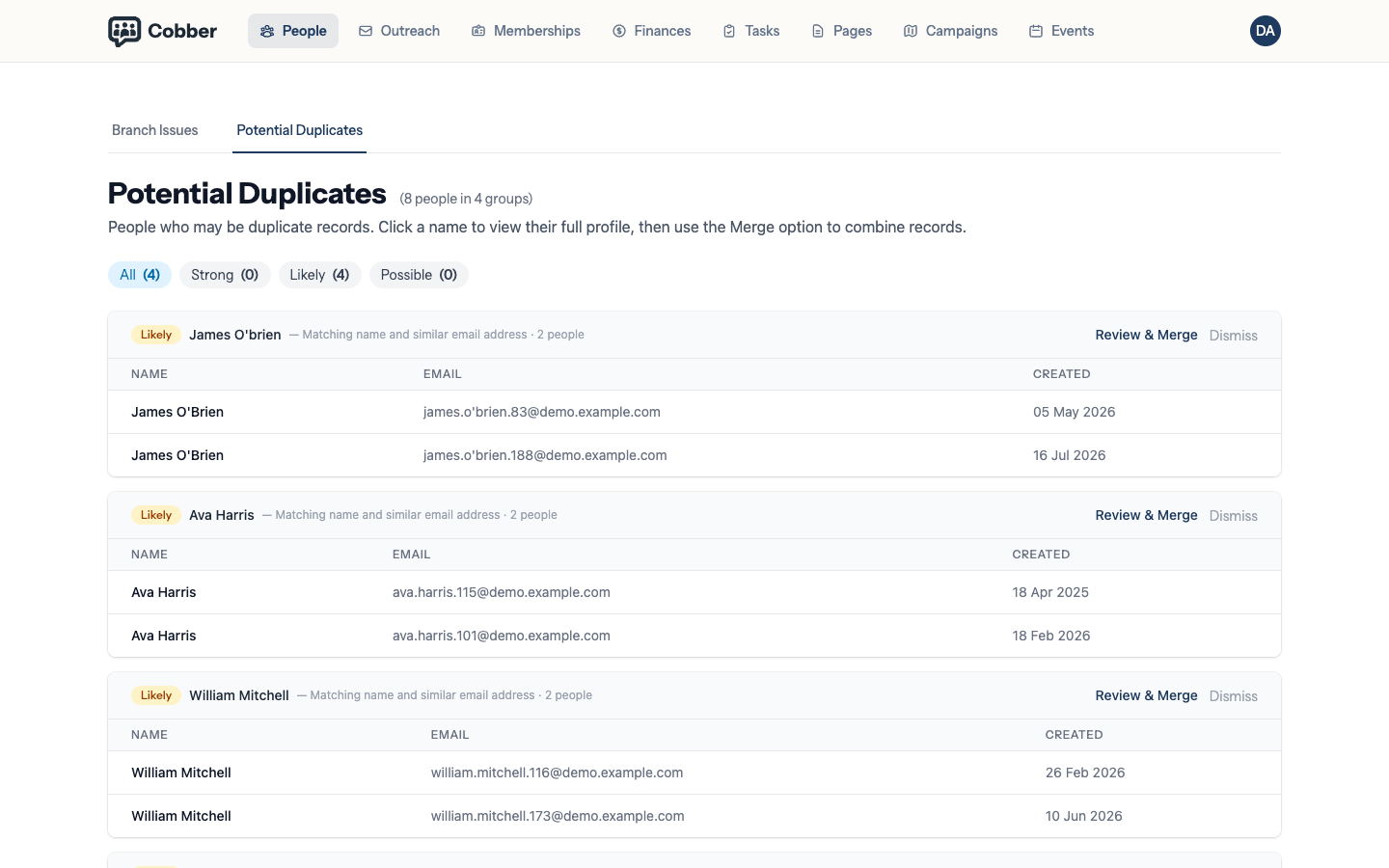
Merging
-
Compare the two records
Review & Merge opens the record you are keeping. Look at the name, email, phone, suburb and date of birth. If you can’t tell whether they’re the same person, they might not be — a shared surname and suburb is a family, not a duplicate.
Then Merge from the actions menu, and search for the other record. The green panel is the one being kept and the red one is the one being discarded, so read those two before you go any further.
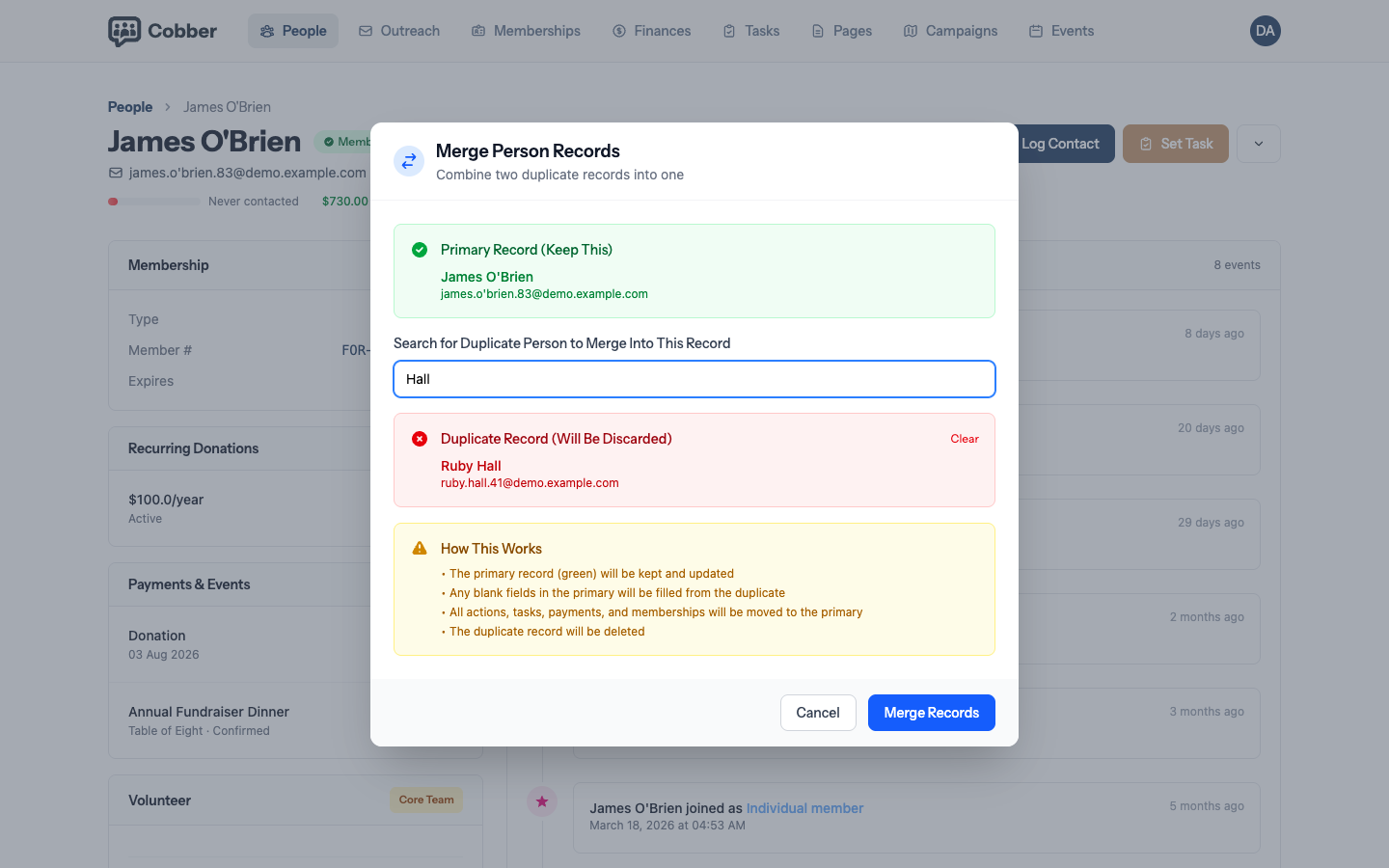
The confirmation — which record is kept, which is discarded, and what moves across. -
Choose which one survives
Keep the record with the better contact details and the longer history. The other is soft-deleted, not destroyed.
-
Merge
Everything moves across: payments and recurring donations, memberships, event RSVPs, tasks, activity, campaign and SMS history, survey answers, automations and volunteer shifts, along with the duplicate’s email addresses, which are kept as secondary addresses on the person you keep.
Where both records hold the same thing — an RSVP to the same event, a place on the same volunteer shift, an enrolment in the same automation — the kept record’s copy stands and the duplicate’s is removed. A check-in recorded against the duplicate’s RSVP carries across: they were there, whichever record was scanned.
Check before you confirm. There’s no undo button. The old record still exists behind the scenes, so nothing is gone forever, but putting it back is a support job rather than a click.
Dismissing a group that isn’t a duplicate
Couples and families set this off constantly — same surname, same address, sometimes the same landline. Dismiss the group and it stays dismissed, so your duplicates list gets shorter over time instead of showing you the same false match every month.
| Symptom | Cause and fix |
|---|---|
| New duplicates after every import | The source file has no email or mobile column, so nothing can be matched on. Add an identifying column at the source — merging the same people monthly isn’t a fix. |
| The same family keeps appearing | Dismiss the group. Dismissals are remembered. |
| A merge kept the wrong record | Email support with both names. The soft-deleted record is still there, but it needs unpicking by hand. |
| You see fewer duplicates than a colleague | Division scoping — the duplicates view only covers people you can already see. |