Ticket types and payments
Free, paid and limited tickets — and how the money is handled.
Quick answers
6 questions · click to openCan one event have several ticket types?
Yes. Add as many as you need — full price, concession, member rate, table of ten. Each is configured on the event.
How are paid tickets processed?
Through Stripe, using the same account as your donations. The money goes to you, not to Cobber.
Can I cap numbers per ticket type?
Yes, and separately from the event's overall capacity. So you can cap a 200-person event and still limit it to 20 concession tickets — a type shows as sold out once its own cap is reached.
Can I limit how many tickets one person buys?
Yes. Max tickets per registration stops one person taking half the room.
How do I stop selling a ticket type without deleting it?
Set it to inactive. It stops being offered but the record and its sales stay.
Is a free event still worth using tickets for?
Yes — a free ticket type still gives you a headcount and a list of who is coming, which is the useful part.
Ticket types are configured on the event itself, under Ticket Types. Most events need one or two; the flexibility is there for the ones that don’t.
Setting them up
-
Add a type for each price you charge
A name and a price. A price of zero makes it a free ticket, which is still worth having — it gives you a headcount and a list of names.
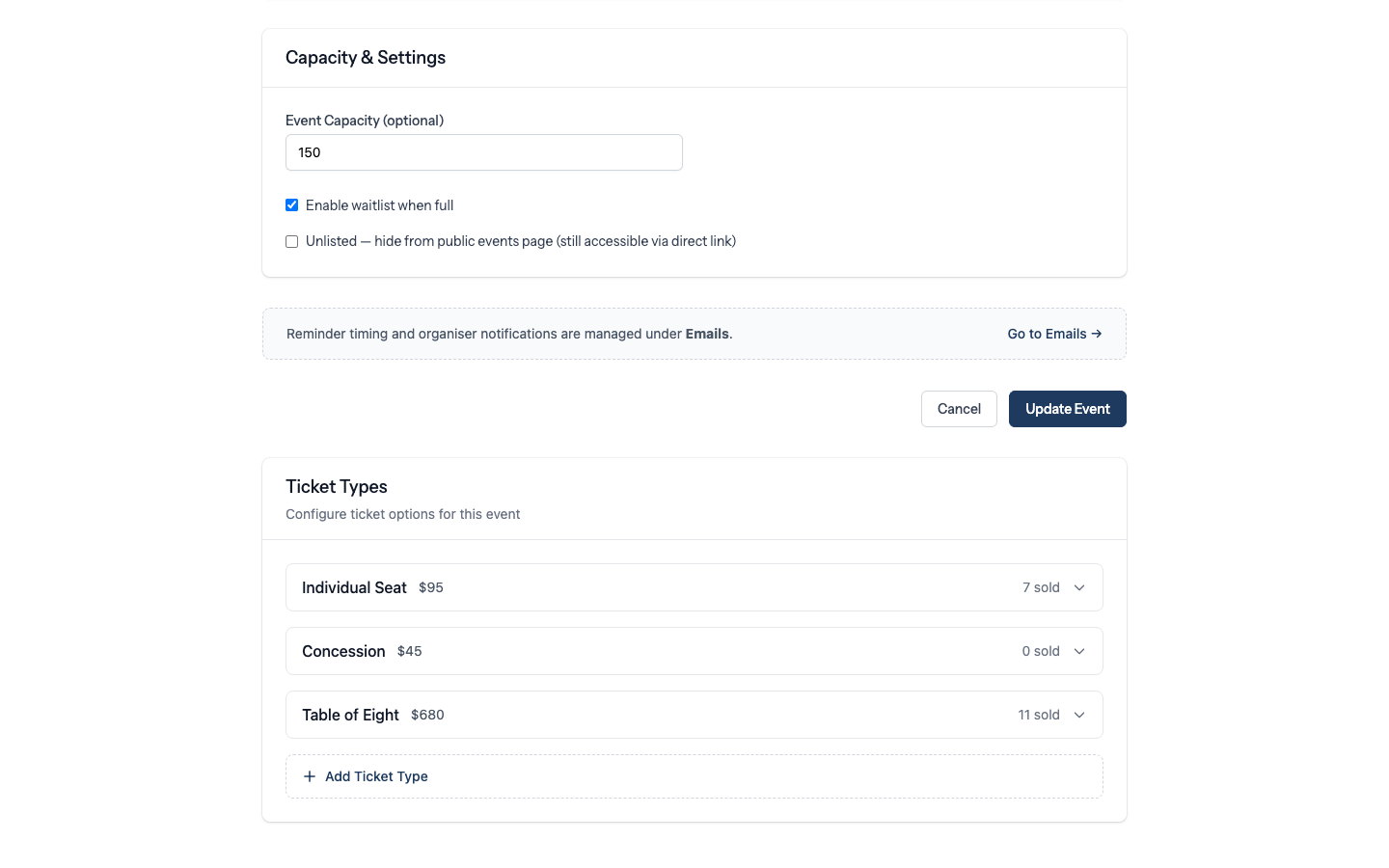
Ticket types on an event. -
Cap the ones that need capping
Each type can carry its own capacity, on top of the event's overall limit. That's how you offer twenty concession places at a two hundred person event. Once a type sells out it stops being offered, while the others keep selling.
-
Limit tickets per person if it matters
Max tickets per registration is worth setting for anything likely to be popular. New ticket types default to 10; leave the field blank for no limit.
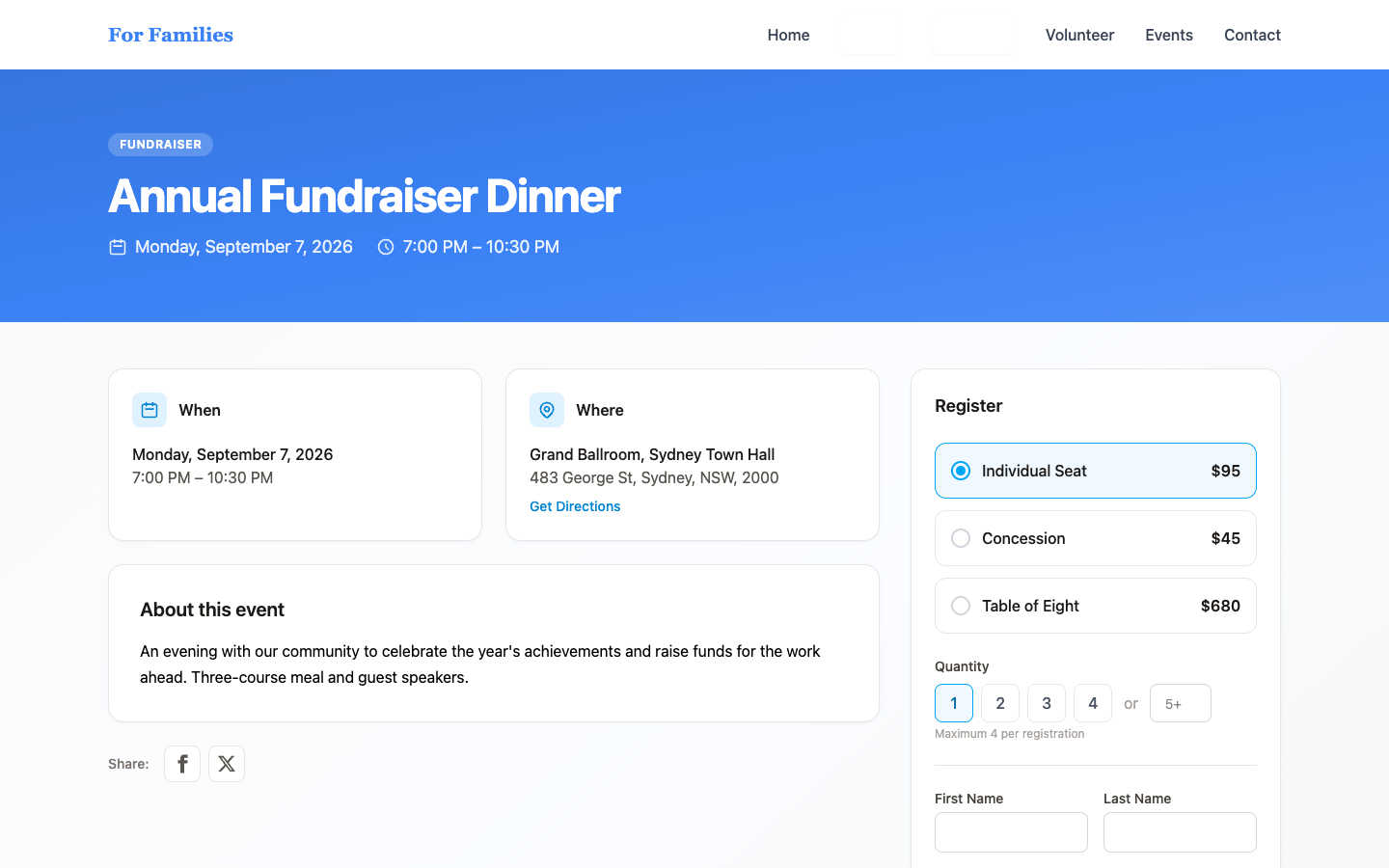
Tickets as a supporter sees them on the public event page. -
Retire a type without deleting it
Set it to inactive when early-bird closes. The sales history stays attached to the event.
How the money works
Paid tickets run through Stripe using the same account as your donations, so there’s nothing extra to set up if you’re already taking donations — and nothing at all will work if you aren’t.
Ticket payments appear alongside donations in your payments list, which means the same tools apply: you can find them, filter them and refund them. See receipts and refunds.
Test a paid ticket before you promote the event. Buy one yourself. It takes two minutes and it’s the only way to know the whole chain works before a hundred people try it at once.