Setting up a donation page
Amounts, recurring giving, and the settings that make the difference between a page and a page that raises money.
Quick answers
8 questions · click to openWhat currency are donations in?
Your organisation’s currency — Australian or New Zealand dollars. Cobber sets this when your account is created. Amounts on the donation page are in that currency, and Stripe charges in it.
Can people give monthly?
Yes. Recurring giving is monthly or yearly, and a recurring donor is worth several times a one-off, so it's worth turning on from day one.
What amounts should we suggest?
The page ships with 25, 50, 100 and 250 and a default of 50. Change them to suit your supporters — the suggested amounts anchor what people give, so they matter more than almost anything else on the page.
What are the impact lines for?
A short line against each amount saying what it pays for. "Supports 2 volunteer training sessions" converts better than a bare number, because it turns a price into a purchase.
Are donations tax deductible?
That depends on your organisation, not on Cobber. There's a tax-deductible setting on the page, and receipts follow it — check your own status before switching it on.
Can we ask supporters something while they donate?
Yes. A donation page can carry a short survey of issues, so you learn what a donor cares about at the moment they're most engaged.
Does donating overwrite a supporter's address?
Only if they type a new address on the form. If the address fields are left blank, their existing profile address is kept.
Do we get notified when someone gives a large amount?
Yes, if you set it up. Under Website → Email Configuration → System notifications, add comma-separated alert recipients and choose a threshold. When a one-off donation succeeds at or above that amount, Cobber emails those addresses from alerts@cobberhq.com.au. The same alert fires when someone starts a recurring gift at or above the threshold — not on each monthly or yearly renewal. Leave the recipient list blank to turn alerts off.
A donation page is the highest-stakes page you’ll build, and most of what makes it work is decided in the settings rather than the words.
Before you start
You need Stripe connected. Donations are processed there and the money goes to your account — see the Go Live page in your dashboard if it isn’t set up yet. Amounts and charges use your organisation’s currency (AUD or NZD).
-
Create the page
Create a new page and choose the donation type. The type is fixed once the page exists, so pick it deliberately.
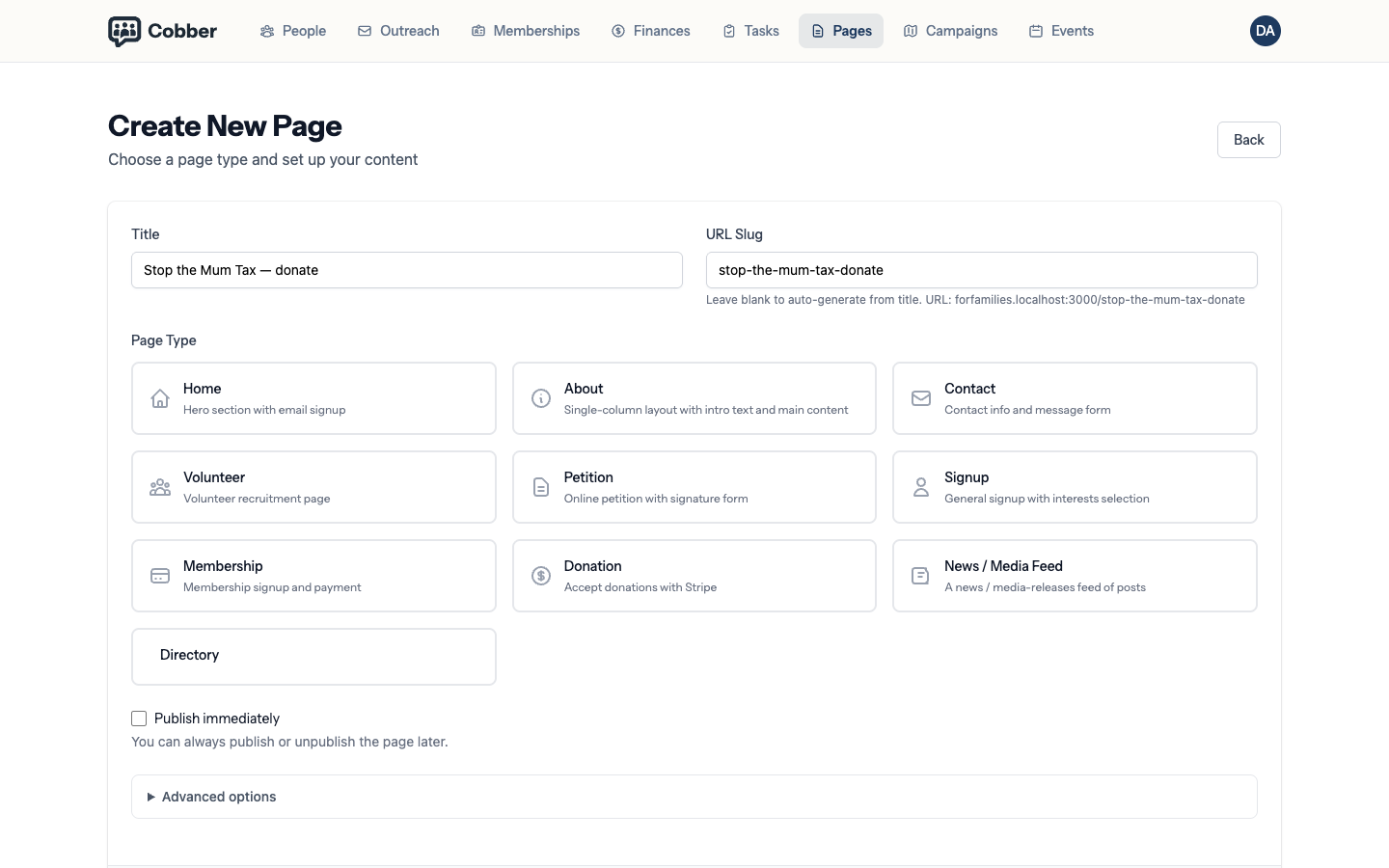
Creating a donation page. -
Set your suggested amounts
The defaults are 25, 50, 100 and 250, with 50 preselected. These anchor what people give, so they are worth thinking about: a list starting at 100 raises more per donor and puts off more donors. Look at what your supporters have actually given before guessing.
-
Write an impact line for each amount
A short line saying what the money does — "Funds community outreach for a week" — turns an abstract number into something a supporter can picture. It is the cheapest improvement available to you.
-
Turn on recurring giving
Monthly or yearly. Recurring donors are worth several times a one-off gift and they cost nothing extra to acquire, so there is rarely a reason to leave this off.
-
Write the thank-you
The page after the donation is the most engaged a supporter will ever be. Say thank you, then give them one thing to do next — share it, come to the event, join. A thank-you page that only says thanks is a wasted moment.
Test it with a real card
Before you send anyone to the page, make a small donation to it yourself and check three things: the money appears in Stripe, the receipt arrives, and the person record shows the gift. It takes five minutes and it’s the only way to know the whole chain works.
A supporter who already has an address on their profile keeps it if they donate without entering one. If they do type an address on the form, that becomes their profile address.
Things worth knowing
| Symptom | Cause and fix |
|---|---|
| The page loads but donating fails | Almost always Stripe isn't connected, or the keys are for the wrong account. Check the Go Live page. |
| No receipt arrived | Check the Receipts tab — new pages have email receipts on by default, but they can be switched off. If they are on, receipts still depend on your sending domain being verified. See authenticating your sending domain. |
| Donations aren't attributed to the campaign that drove them | Attribution is by link. The donor has to arrive by clicking through from the campaign — someone typing the address in by hand is never attributed. |
| Everyone gives the default amount | Working as designed, which is why the default matters. Try moving it up one step and watch the average. |