Sending your first campaign
From a blank campaign to a verified send, in the order the screens ask for it.
Quick answers
11 questions · click to openWhat has to be done before I can send anything at all?
Your sending domain has to be verified, and the campaign needs a from email address. Until the domain is verified the campaign shows Sender not verified. Until a from address is set, Review & send is blocked and a red message appears under From email address — you can still save the draft.
Can I start a campaign before I've set a from address?
Yes. The editor opens as a draft either way. Fill in From email address at the top of the editor (just above Campaign details) before you send.
Can I see who will receive it before I send?
Yes. Click the **Estimated recipients** number under **Recipients** — it opens a preview of the first 100 matching people, using whatever audience and email types you have selected on the screen (you don’t need to save first).
Can I see it in my own inbox first?
Yes. **Preview & test** / **Send Test Email** sends it to you and only you. It isn’t recorded against the campaign or its analytics, so it won’t skew your open rates.
How long does a send take?
Campaigns go out in batches of up to 100, with a short pause between batches. A list of a few thousand usually finishes in under an hour, and the Recipients count climbs as it goes. Larger lists (tens of thousands) take longer but keep moving in the background.
Can I cancel a scheduled campaign?
Yes, any time before its send time — cancelling puts the campaign back to draft. A send that has already started can’t be recalled.
Who actually receives it?
The people in your audience, minus anyone unsubscribed or hard-bounced, minus anyone who has opted out of that email type. The confirmation screen tells you the number before you commit.
Where do I see replies to a campaign?
At the bottom of the campaign page, under **Replies** — the **Replied** tile jumps you there. Each row shows who wrote it and the first line; click the row to read the whole message, or the person's name to open their profile. Every matched reply is also saved to that person's activity timeline.
Why does a reply say “Not matched to a person”?
It came from an address that isn’t on anyone’s record — usually because they replied from a different address to the one you emailed. The reply is still kept and still shown on the campaign; it just isn’t attached to a profile until that address is added to the right person.
Can I find everyone who replied to a campaign?
Yes. On **People**, add the **Email engagement** filter and choose **Replied**, optionally narrowing it to one campaign and a number of days. **Did not reply** gives you the other side — people who were sent that email and didn’t write back. Save it as a list if you want to reuse it.
Why can I only reach some of our members?
Your role is scoped to a political division. A local role only reaches people in that local group’s electorates. See targeting a list or division.
Everything here happens under Outreach. The order matters — get the sender sorted before you write, because an unverified domain blocks the send no matter how good the email is.
Verify your sending domain first. It depends on a DNS change, which runs on someone else’s clock. Writing a campaign you can’t send is a frustrating way to spend an afternoon.
The From email address field sits at the top of the editor, above Campaign details. Type the address this campaign should send from. You can save the draft without it; you can’t send, schedule, or test until it’s filled in.
-
Create the campaign
From Outreach, start a new campaign. Cobber creates it as a draft straight away and opens the editor, so the campaign exists before you’ve written anything — that’s normal. The editor is in sections: From email address, Campaign details, Email type, Recipients, and Template & attachments.
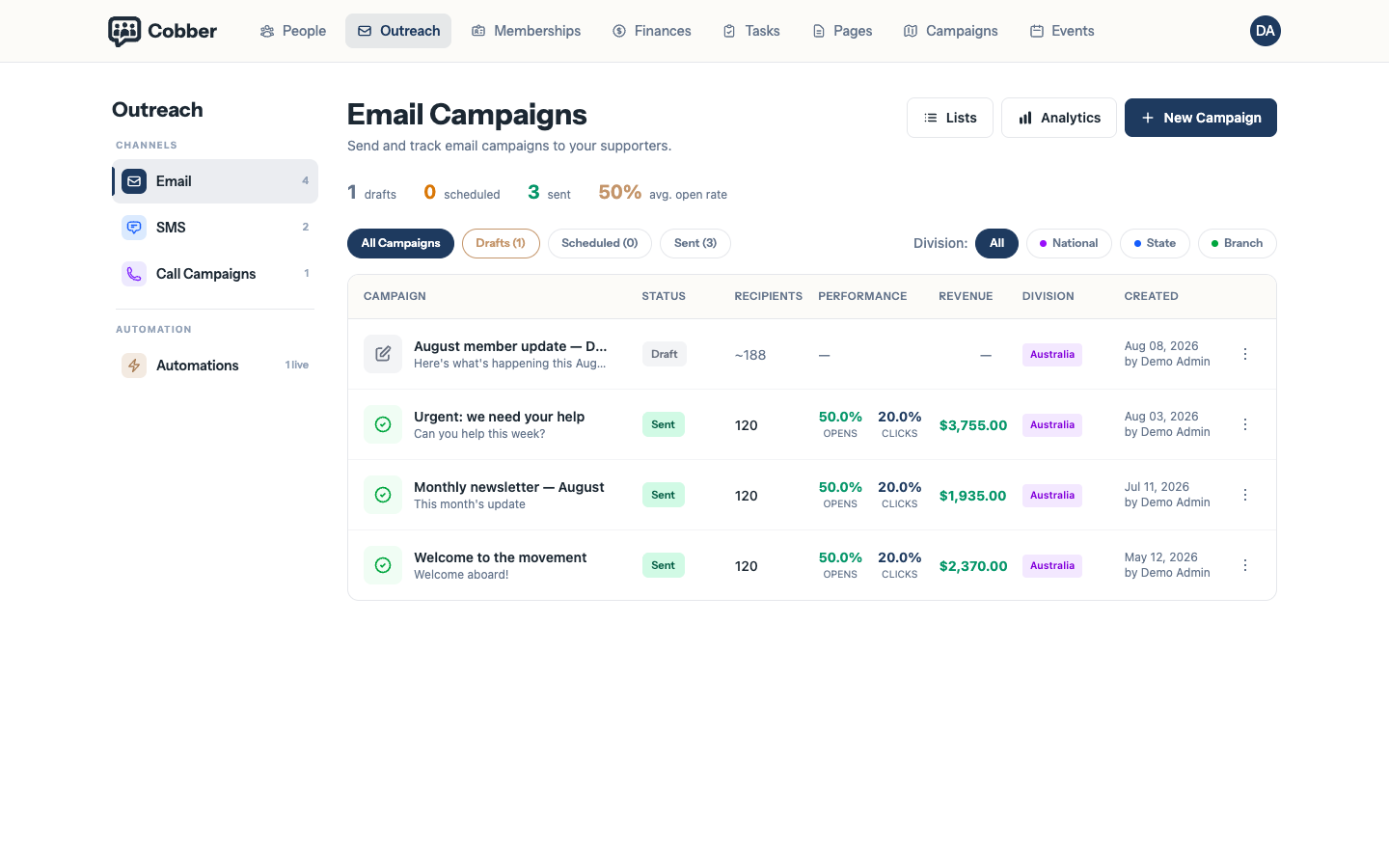
The campaign list, where a new campaign starts. -
Set the from address, the details and the email type
From email address is at the top and is required before sending. Campaign details is the internal name, the Subject and the From name. The Email type matters more than it looks: people can opt out of types individually, so a newsletter and an urgent alert reach different sets of people even from the same list.
-
Choose who it goes to
Under Recipients, build your audience. You can send to everyone, to a saved list, or to a filtered segment. Whatever you choose, the count you see is already scoped to what your role can reach. Click the Estimated recipients number to open a preview of who matches — the first 100 names are shown, and the list reflects your current selections even if you haven’t saved yet.
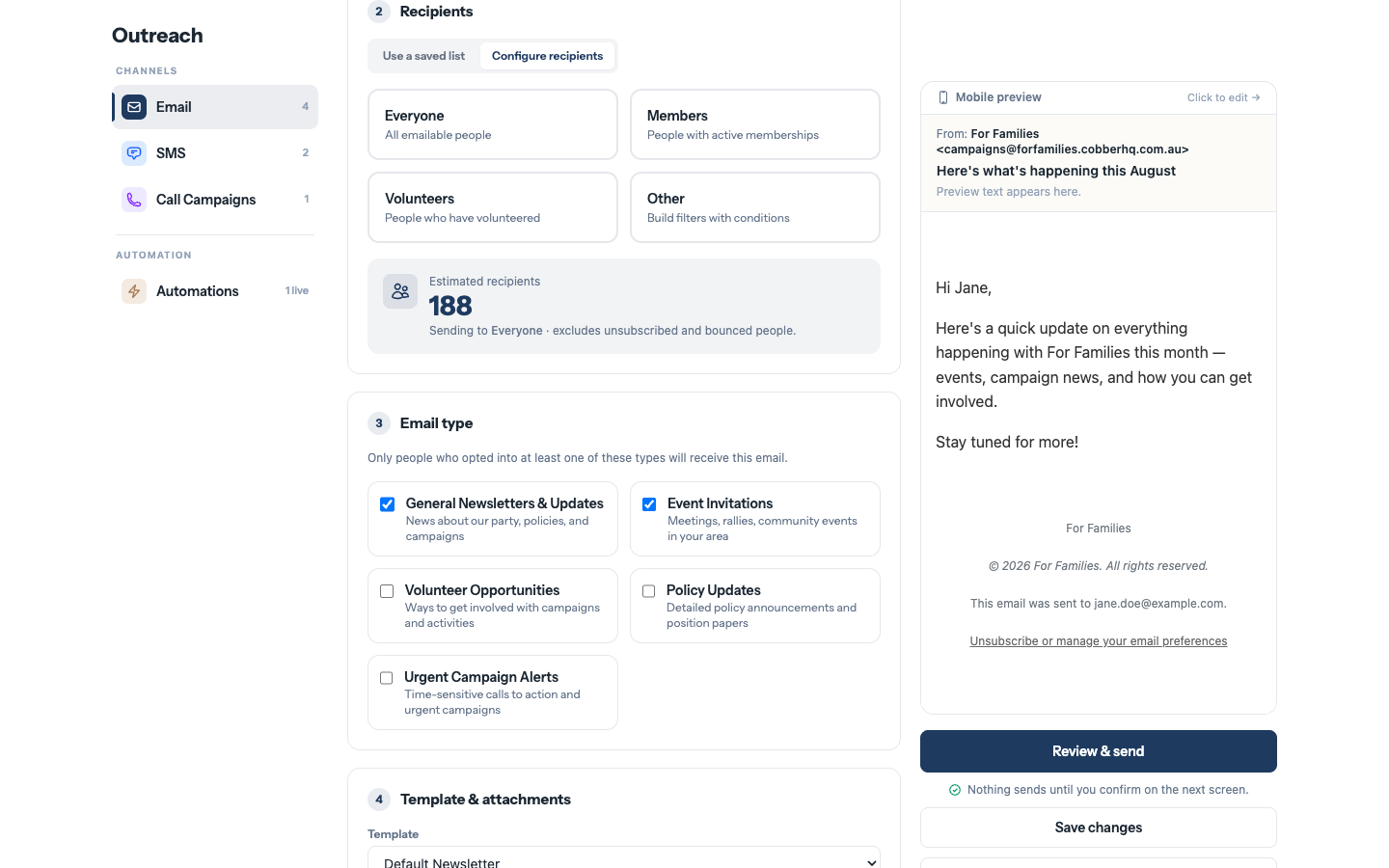
Choosing the audience for a campaign. -
Write it, and give merge fields a fallback
Personalisation is Liquid, the same as the page templates. Always give a merge field something to fall back on:
Hi {{ person.first_name | default: "there" }},The full list of available fields is in the Liquid reference.
-
Send yourself a test
Send Test Email goes to you alone. Read it on a phone as well as a laptop — most of your members will open it on a phone.
-
Review and send
The confirmation screen is headed Ready to send? and shows who it’s Sending to and which email types they’re opted into. If you would rather schedule it, set Send at — times are in the organisation’s own timezone, and recipients are locked in at the moment you schedule.
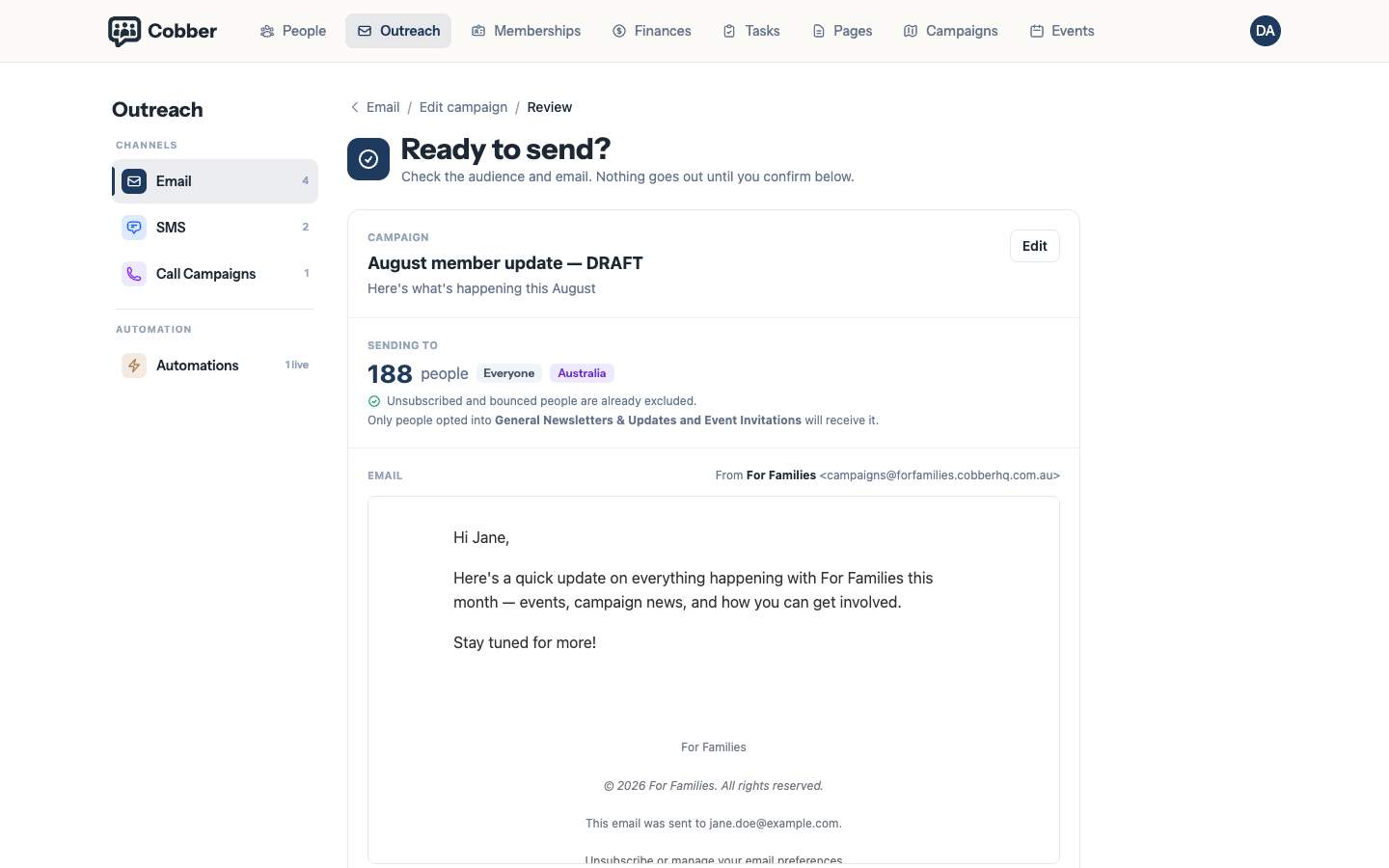
The Ready to send confirmation, with the recipient count.
After it goes out
The campaign page tracks Opened, Clicked and Replied, with Engagement by recipient underneath so you can see individual people rather than just percentages. Replies come back into Cobber rather than disappearing into someone’s personal inbox.
Reading the replies
Replies sits at the bottom of the campaign page, and the Replied tile jumps you to it. Each reply shows who wrote it and the first line of what they said. Click anywhere on the row to read the whole message, the address it came from and the time it arrived; click the person’s name instead to open their profile. Signatures, “Sent from my iPhone” footers and the quoted copy of your own campaign are stripped out, so what you see is what they actually typed.
A reply from an address Cobber doesn’t recognise is still kept and still shown, marked Not matched to a person. That usually means they replied from a different address to the one you emailed — worth checking before you assume it is a stranger.
Every matched reply is also saved to that person’s profile, on their activity timeline, so it is there the next time someone opens their record.
If the numbers look wrong, why an email didn’t send covers the four usual causes.
| Symptom | Cause and fix |
|---|---|
| “Add a from email address before sending” | The campaign has no from address yet. Fill in From email address at the top of the editor, then review and send again. You can still save the draft. |
| “Sender not verified” on the campaign | The domain your from address uses isn’t verified with Postmark. Verify it under Email Configuration — nothing sends until you do. |
| “No one matches the current audience and email types” | Your filters and the email type have no overlap. Most often the type is one that most people have opted out of; widen the audience or change the type. |
| The recipient count is lower than the list | Normal. Unsubscribes and hard bounces are skipped at send time. |
| You scheduled it for the wrong time | Cancel the scheduled send — the campaign goes back to draft — then reschedule. Times are in the organisation’s timezone, not yours. |