Targeting a list or division
Filters, saved lists, and why the same list gives two people different counts.
Quick answers
7 questions · click to openWhy does my colleague see a different number to me?
Division scoping. Your audience is always narrowed to the people your role can reach, so a local role and a state role building identical filters get different counts. That’s working as intended, not a bug.
Can I send to a saved list?
Yes, and it’s the tidier option if you’ll send to the same group again. Lists are built on the People screen and can be used by email, SMS and call campaigns alike.
Does the audience count include people who won’t receive it?
Yes. The count is who matches your filters. Unsubscribes and hard bounces are skipped later, at send time, which is why Recipients usually comes out lower than Audience.
What’s the difference between a list and a segment?
A list is filters you saved and named. A segment is filters you set up on the campaign itself. Use a list when you’ll want the group again.
Can I send to just one local group?
Yes. Target the division, and the audience narrows to the people in that local group’s electorates.
Can I see the names before I send?
Yes. On the email or SMS composer, click the **Estimated recipients** number under **Recipients**. It opens a preview of the first 100 people who match your current filters (and email types, for email).
Someone should have received it and didn’t.
Check three things in order: whether they’re inside your division scope, whether they’ve unsubscribed or hard-bounced, and whether they’ve opted out of that particular email type.
Who a campaign reaches is decided by two things stacked on top of each other: the audience you choose, and the division your own role sits at. The second one catches people out.
Ways to choose an audience
| Approach | Best for |
|---|---|
| Everyone | Genuine all-of-organisation news. Rarer than you'd think. |
| A saved list | A group you’ll come back to — lapsed members, a local group, people who signed a particular petition. |
| Filters on the campaign | A one-off cut you won’t need again. |
If you find yourself rebuilding the same filters, save them as a list — see searching, filtering and saved lists.
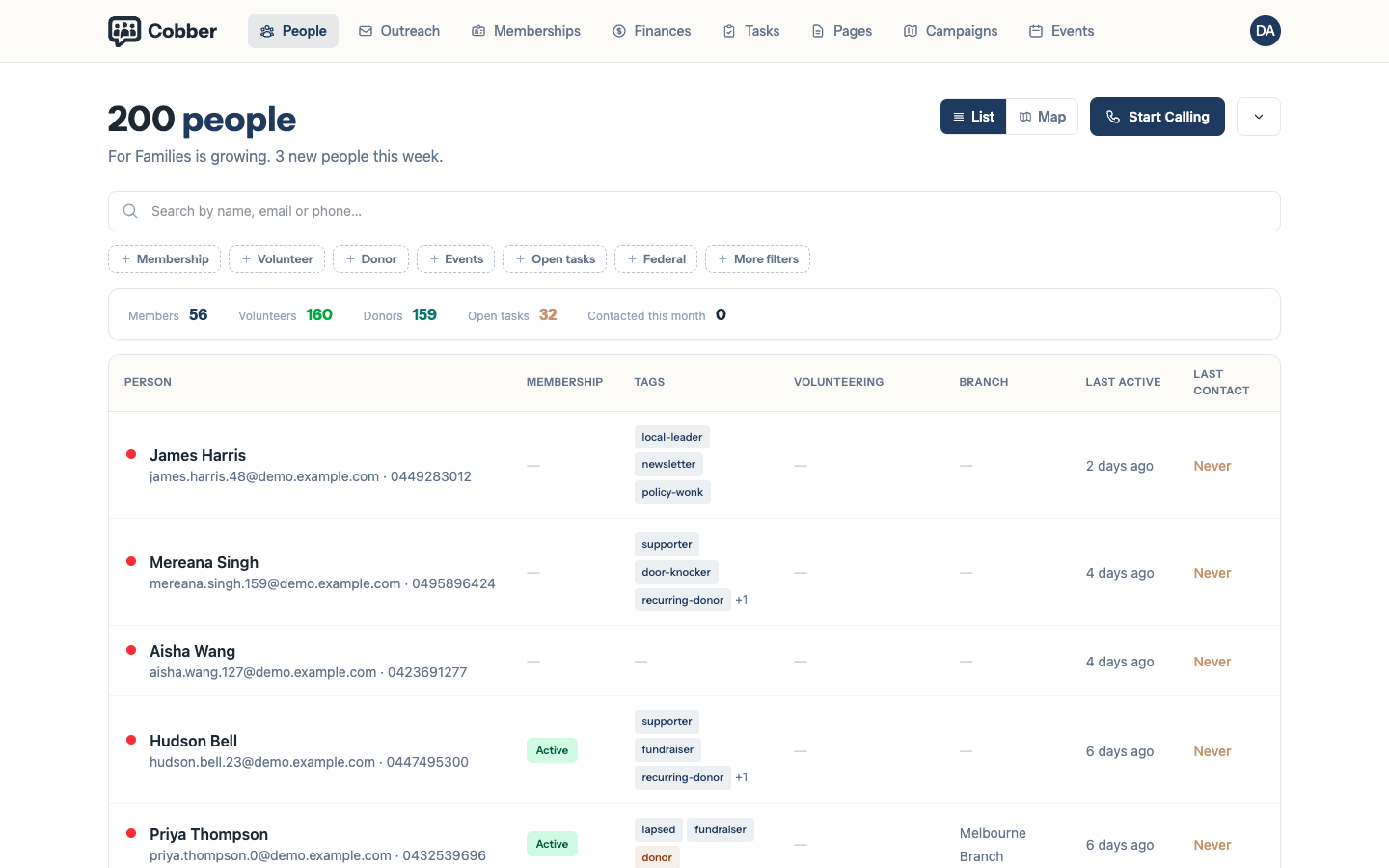
Division scoping, and why counts differ
This is the part worth understanding properly.
Every audience is narrowed to the people your role can reach. A national role reaches everyone; a state role reaches that state and the local groups under it; a local role reaches only the people in that local group’s electorates.
So two people can build identical filters and get different numbers, and both are correct. It isn’t a permissions error and it isn’t something to work around — it’s what stops a local organiser emailing the whole country by accident.
If a send needs to go wider than your role, ask someone with a state or national role to build and send it. There’s no way to widen your own reach from inside a campaign, by design.
Audience versus Recipients
Audience is who matched your filters when the list was built. Recipients is who was actually sent to. The second is normally smaller, because at send time Cobber skips:
- anyone who has unsubscribed
- anyone who has previously hard-bounced
- anyone with no email address at all
- anyone opted out of that email type
None of those are errors. A gap of a few per cent is healthy; a gap of half means something is worth looking at.
Email types change who receives it
Preferences are per category, so the type you choose changes the audience even when the filters don’t. A newsletter and an urgent alert sent to the same list reach different people, because supporters opt out of them separately.
If the confirmation screen says nobody matches, that’s usually the cause: the filters and the email type have no overlap.
Click the Estimated recipients number on the composer any time you want to sanity-check who your filters actually include — the preview shows the first 100 matching names without needing to save the draft.