Getting started with your implementation
The homework on your side — DNS records so email and your domain can be verified, and your data ready for a clean import.
Quick answers
6 questions · click to openWhat’s needed?
Two things. Someone who can add DNS records for your domain, and your existing supporter data in a spreadsheet. Everything else we can sort out together on a call.
How long does the DNS part take?
Ten minutes of work and up to a day of waiting. The waiting is DNS propagation, which is outside anyone’s control — which is why it’s the first thing to start, not the last.
Who needs to do the DNS bit?
Whoever manages your domain — often an IT person, a web agency, or whoever set up your website. Worth finding out who that’s now rather than the week you want to launch.
What format should our data be in?
One row per person, with a header row, as CSV or Excel. If it’s coming out of NationBuilder, export it as-is — Cobber recognises that format and handles the mapping itself.
Can we start using Cobber before all this is done?
Yes. You can log in, look around and build pages on your Cobber subdomain straight away. The DNS work gates sending email and using your own web address, not the rest of it.
What if we get stuck?
Reply to whoever sent you this guide. Don’t sit on it for a week — the DNS step in particular is much quicker to sort out together than alone.
Welcome aboard. This is the short list of things we need from your side to get you live, in the order that makes them easiest.
Two jobs matter: getting your DNS records in place so your email and web address can be verified, and getting your data ready so the import goes in cleanly the first time. Start the DNS one today, because it involves waiting.
Job one — DNS for your website and email
There are two separate things people mean by “domain”, and Cobber handles them independently:
- Your web address — the URL supporters type or click to reach your pages.
- Your email sending domain — the address your emails come from, plus the authentication that proves those emails are genuinely yours so they land in the inbox.
They don’t have to match, and you don’t have to move everything at once.
You don’t need to buy a new domain. You can point your existing domain, or a subdomain of it like
action.yourmovement.org.au, straight at Cobber. During a transition a subdomain is usually the better choice — your existing main website keeps running exactly as it does today.
What we need you to do
-
Find out who manages your DNS
This is the step organisations underestimate. It might be an IT person, a web agency, or whoever originally set up your website. You need someone who can log in to your domain registrar and add records.
-
Add the records Cobber gives you
There’s no generic list to copy — Cobber generates the exact records for your domain and shows you what to add. The Go Live page in your dashboard walks you through your first sending domain and your web address, and the Email domains page is where you add any domains after that.
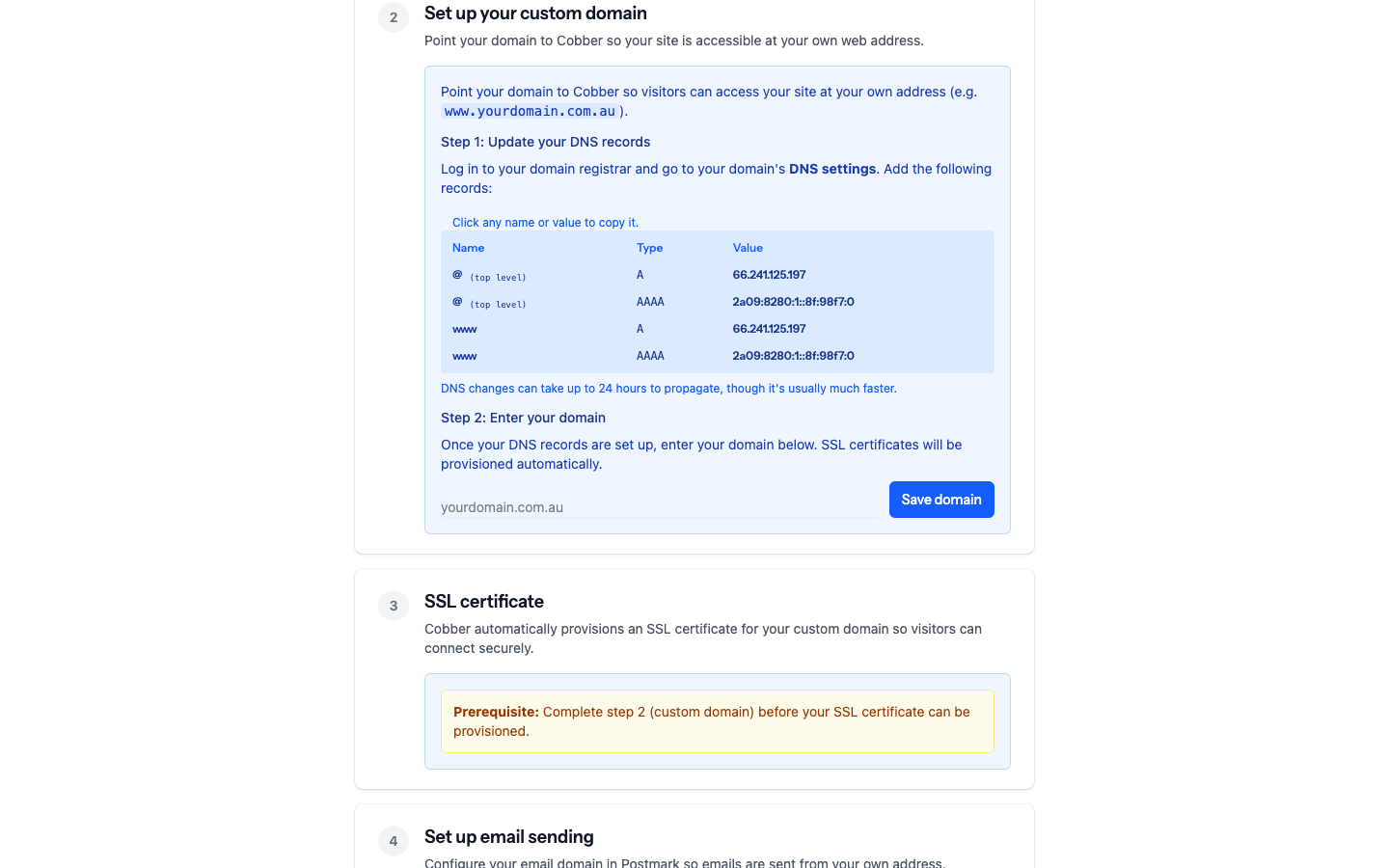
The Go Live page, showing the records to add for your domain. -
Wait, then verify
DNS changes take anywhere from a few minutes to a day to propagate. Cobber checks the records for you — a sending domain moves from Pending verification to Verified once DKIM and the Return-Path both check out.
Two things worth knowing so nobody worries: this is additive, so turning Cobber’s email authentication on doesn’t remove, replace or interfere with the email your existing system sends. And once your web address points at us, Cobber provisions and renews the HTTPS certificate itself — there’s nothing for you to buy or configure.
The full detail is in Connecting your domain.
Job two — get your data ready
The import is the other thing that’s much easier done once, properly.
-
Get everything into one spreadsheet per type
One row per person, with a header row, saved as CSV or Excel. Separate files for people, donations and memberships if you have all three — they’re separate imports.
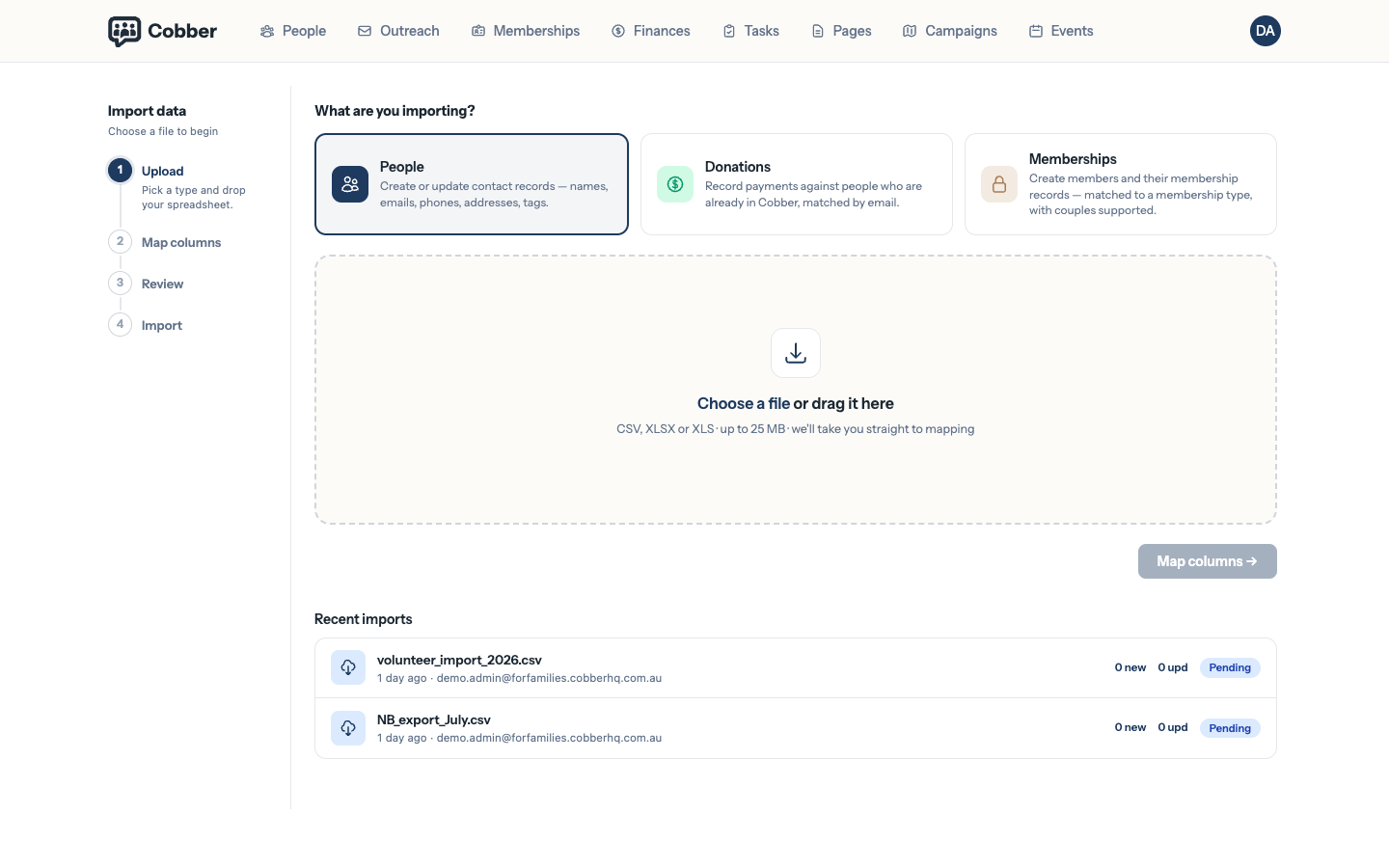
The import wizard, with the three import types. -
Make sure every row can be identified
Include an email address or a mobile number for as many people as you can. Cobber matches on email first and falls back to mobile, and rows with neither can’t be matched — which means a second import would create duplicates rather than updating people. Addresses are worth including too: Cobber works out each person’s electorates from their address, which is what puts them in the right local group.
-
Don’t clean it too much
Send it roughly as it’s. We’d rather see your real data — including the messy parts — than a tidied version that hides a problem we’ll hit later anyway.
Coming from NationBuilder?
Don’t reformat anything. Export from NationBuilder as-is: Cobber recognises that format from its column headers and uses a mapping we maintain, so there’s nothing for you to line up. It builds person records, with each donor’s giving history carried across as a summary on their record. See moving from NationBuilder.
What you can get on with in the meantime
None of the above blocks you from having a look around. You can log in, explore, and build pages on your Cobber subdomain from day one — the DNS work gates sending email and using your own web address, not everything else.
When both jobs are done, running an effective campaign is where to go next.