Exports and data ownership
Getting your data out, whenever you want it, without asking us.
Quick answers
6 questions · click to openCan I export our people?
Yes, as CSV from the People screen. The export follows whatever filters you have applied, so you can export a saved list rather than everything.
Does everyone have that button?
No. Exporting is a separate permission, so it can be limited to the people who should have it — which is worth doing, because an export is your whole supporter list in one file.
Is an export scoped to my division?
Yes. You can only export people you can already see, so a local export contains that local group.
Whose data is it?
Yours. You can take a full export whenever you like, without asking us and without notice.
What if we leave?
Export what you need before you go. There's no lock-in mechanism and no period where your data is withheld.
Where do exported files go?
They download to your machine. That makes them your responsibility from that moment — an exported supporter list on a laptop is the least protected copy of your data that exists.
Your supporter data is yours. This page is about how to get it out, and how to be careful with it once you have.
Exporting people
-
Filter to what you want
Export follows your filters, so narrow down on the People screen first — or open a saved list. Exporting everything when you needed one local group is how spreadsheets end up in places nobody can account for.
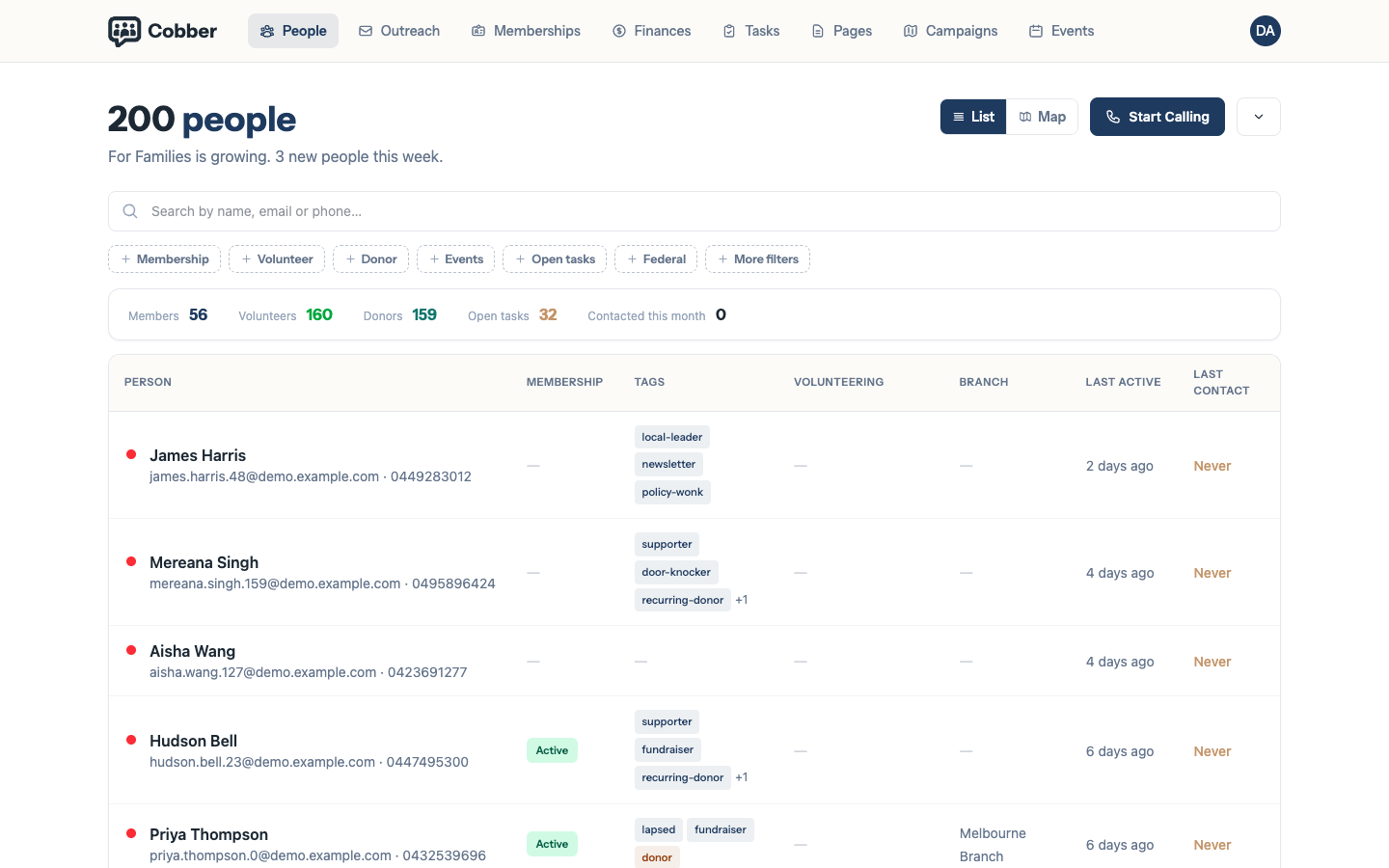
Filtering people before exporting. -
Export as CSV
The file downloads to your machine. Large exports are streamed, so a big list does not time out.
-
Store it somewhere sensible, and delete it after
The export is the least protected copy of your data that will ever exist — no permissions, no division scoping, no audit trail. Treat it like a printed membership list.
Who can export
Exporting is its own permission, separate from being able to see people. That separation is deliberate: plenty of volunteers should be able to look people up and ring them without being able to walk away with the list.
Exports are also division-scoped, like everything else. A local organiser exports their local group.
Data ownership, plainly
- You can export at any time, without asking us and without notice.
- There’s no lock-in. If you leave, take your data with you.
- The history stays honest. Soft-deleted people keep their donation and membership records, so your finances still reconcile after someone is removed.
What to be careful about
Your obligations under Australian privacy law don’t change because the data is in a CRM, and an export moves data out of the place where those protections are enforced. Two habits worth having:
- Delete exports when you’re done with them. The file from last year’s AGM does not need to be in someone’s downloads folder.
- Don’t email supporter lists around. If a colleague needs the data, give them an account with the right role instead — that’s what the permissions are for.