Divisions and local permissions
National, state and local group — and exactly who can see which people.
Quick answers
9 questions · click to openHow does Cobber decide which people someone can see?
By the division their role sits at. A national role sees everyone; a state role sees that state and the local groups under it; a local role sees only people in that group's electorates.
Does this apply to campaigns and exports too?
Yes, and it's applied to the query rather than hidden in the interface — so there's no route by which a local admin reaches other people's records.
How does a person end up in a local group?
By their electorate, which Cobber works out from their address. Local groups cover electorates, so the address does the sorting for you.
Can I move someone to a different local group by hand?
Yes. There's a manual override on the person, for the cases where the electorate isn't the right answer.
What about people with no address?
They can't be placed, so they won't appear for admins at local level. That's the practical reason addresses matter at import time.
Do we have to use local groups at all?
No. A smaller organisation can run entirely at national level and add local groups later, once there are enough people to be worth dividing.
Can a state treasurer see only their own state's finances?
Yes. Give them a role carrying Finances read at their state, and Finances shows that state's money only — transactions, subscriptions, disclosure watch and the revenue tiles on the dashboard home.
Why can our state treasurer still see national finances?
Check whether they hold a second role at national level for anything else. Finance reach is the union of every division across all your roles, the same as people visibility — a national role for something unrelated still widens it.
Who can set the fundraising target?
Only someone with Finances read at national level. The target is one organisation-wide figure, so a state or local admin's Finances Overview doesn't show it at all.
Divisions are the backbone of everything Cobber does with permissions. Get them right and distributed organising works; get them wrong and either nobody can see anything, or everybody can see everything.
The hierarchy
| Level | Sees |
|---|---|
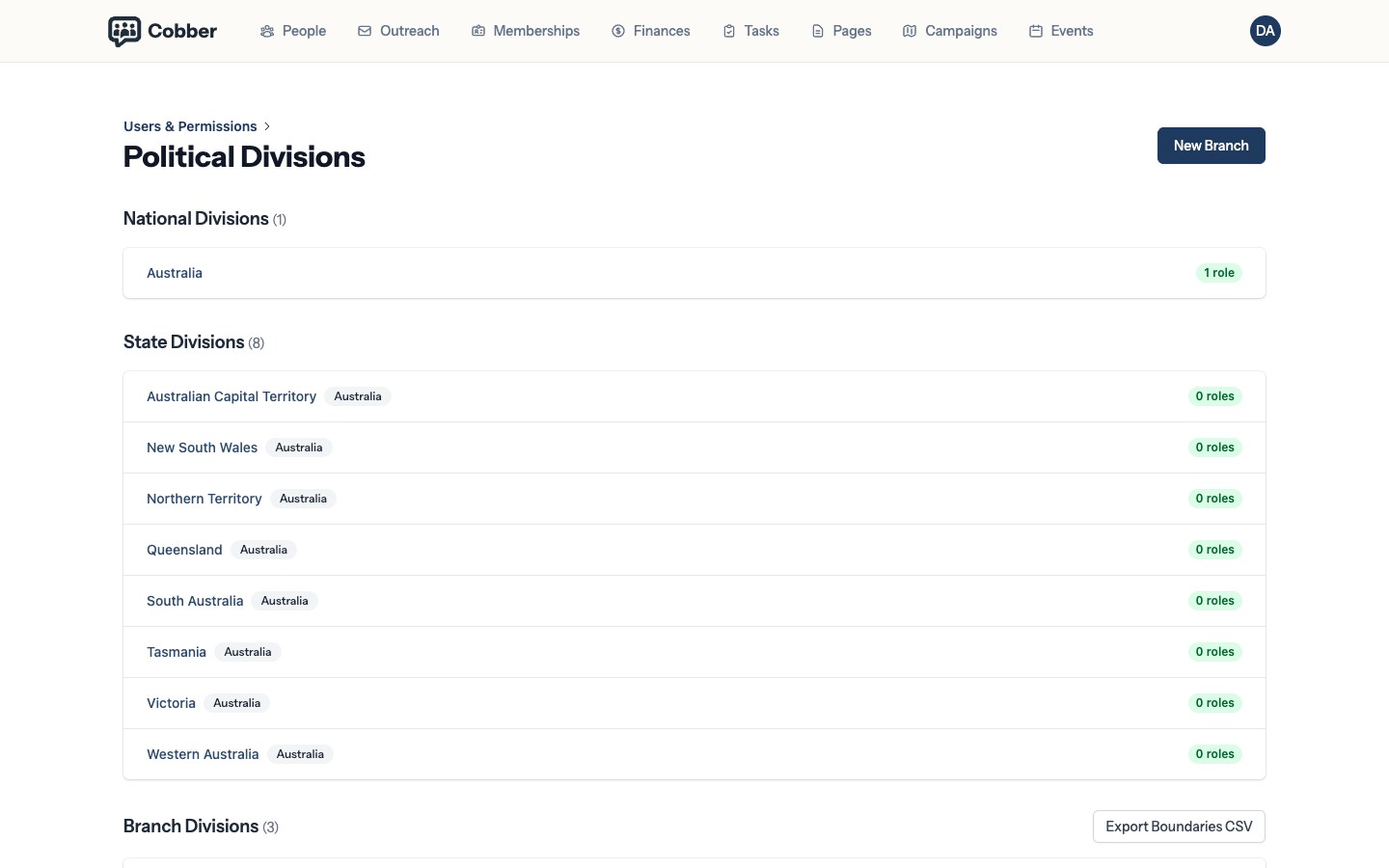
| National | Everyone in the organisation. |
| State | That state, and every local group under it. |
| Local group | People in that group's electorates, and nobody else. |
How a person ends up in a local group
Local groups cover electorates. Cobber works out a person’s federal electorate, state electorate and LGA from their address, and that places them.
You don’t maintain a mapping by hand, and you don’t have to sort people into local groups yourself. It’s also why an import without addresses leaves people invisible to admins at local level — see importing a spreadsheet.
For the cases where the electorate isn’t the right answer — someone who organises in the local group next door, say — there’s a manual override on the person.
It’s enforced on the query, not the screen
This is worth understanding, because it changes what you can safely delegate.
Scoping is applied when the data is fetched, not by hiding things in the interface. A local admin building a campaign, running an export or searching people is working from a set that never contained anyone else’s records in the first place. There’s no URL to guess and no filter to remove.
That’s what makes it reasonable to give a volunteer local organiser a login.
Money follows the same rule
Finance access is granted the same way as everything else: by the division a role sits at. A role carrying Finances read at Western Australia gives that admin the Finances tab for Western Australia — the overview totals, Transactions, Subscriptions, the disclosure watch and the revenue figures on the dashboard home, all covering that state and nothing else. A pill at the top of Finances names the divisions the figures on screen cover, so a state total is never mistaken for the organisation’s.
Like people visibility, this is the union across every role someone holds — not just their finance role. Give your WA treasurer a second role at national level for anything else, and their finance reach widens to national too. If someone is seeing more money than expected, check every role they hold, not just the one you think of as “their finance role.”
Two things worth expecting:
- The fundraising target is organisation-wide. It’s one number for the whole organisation, set by a national finance role. A state or local admin’s Finances Overview doesn’t show a target, a progress bar, or an editor for it at all — there’s nothing to show them, because it isn’t a figure their own view is measured against.
- A couple’s membership counts for both. If one person on a joint membership is in your division, that membership is in your figures — even if the other person on it isn’t.
Common mistakes
| Symptom | Cause and fix |
|---|---|
| An organiser sees nobody | Their role is at a local group with no people placed in it yet — usually because addresses are missing. |
| Two people get different counts from the same filters | Working as intended. Their roles sit at different divisions. |
| A member turns up in the wrong local group | Their address puts them in that electorate. Use the manual override if the address is right but the local group isn't. |
| A treasurer sees the whole country's money | Check every role they hold, not just the finance one — a second role at national level for anything else widens their reach the same way it would for people visibility. |
| A treasurer sees no money at all | None of their roles carries Finances read, or the role that does sits at a division with nobody placed in it. |
| Head office wants a local group's numbers | Anyone at state or national level already sees them — no need to ask the local group to export anything. |